> ## Documentation Index
> Fetch the complete documentation index at: https://docs.attention.com/llms.txt
> Use this file to discover all available pages before exploring further.
# Import Calls from Aircall
> Import your Aircall phone calls into Attention as they end.
Connect Aircall to import your phone calls as they end. Imported calls appear in **Conversations → All Calls**.
## Open Integrations
1. In [Attention](https://app.attention.tech), click your name at the bottom of the sidebar, then **Settings**.
2. In the settings menu, click **Integrations**.
3. Click **Add integration**.
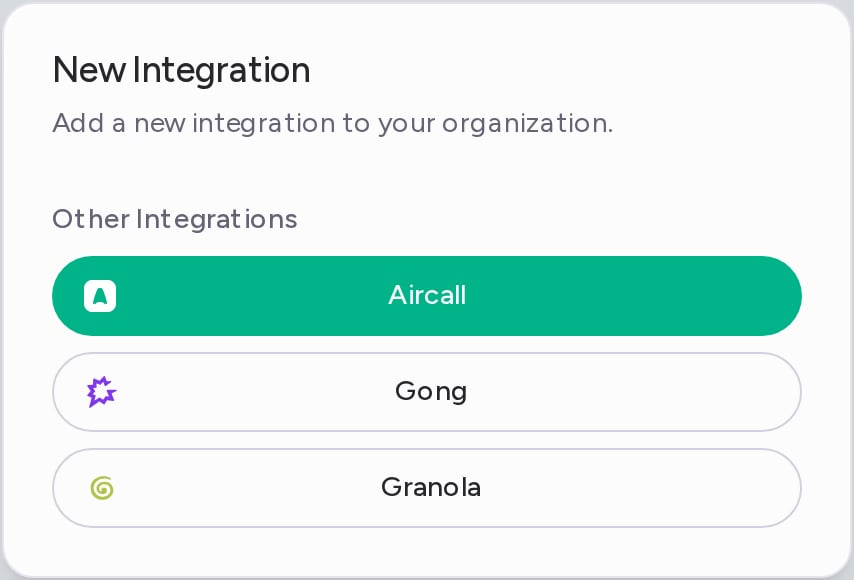
The **New Integration** dialog lists the tools you haven't connected yet under **Other Integrations**.
 ## Connect Aircall
1. In the **New Integration** dialog, click **Aircall**.
2. Aircall opens in a new window. Sign in and approve the connection.
When the window closes, Aircall appears under **Others** on the Integrations page.
## What gets imported
* Each recorded Aircall call that ends after you connect. Calls from before you connected aren't imported.
* Attention transcribes the recording and analyzes the call like any other call.
* Each call goes to the Attention user whose email matches the Aircall user on the call.
Calls shorter than the **Minimum imported call duration** are skipped. It is 120 seconds by default. You can change it in **Settings → Organization Settings**, under **Call settings**.
## Disconnect Aircall
1. On the Integrations page, open the **⋯** menu on the **Aircall** row and click **Delete**.
2. In the **Aircall Account Removal** dialog, click **Remove**.
Attention stops importing calls from Aircall. Calls already imported stay in Attention.
Need help? Contact [support@attention.com](mailto:support@attention.com) or your Attention point of contact.
This documentation is built and hosted on [Mintlify](https://mintlify.com), a developer documentation platform.
## Connect Aircall
1. In the **New Integration** dialog, click **Aircall**.
2. Aircall opens in a new window. Sign in and approve the connection.
When the window closes, Aircall appears under **Others** on the Integrations page.
## What gets imported
* Each recorded Aircall call that ends after you connect. Calls from before you connected aren't imported.
* Attention transcribes the recording and analyzes the call like any other call.
* Each call goes to the Attention user whose email matches the Aircall user on the call.
Calls shorter than the **Minimum imported call duration** are skipped. It is 120 seconds by default. You can change it in **Settings → Organization Settings**, under **Call settings**.
## Disconnect Aircall
1. On the Integrations page, open the **⋯** menu on the **Aircall** row and click **Delete**.
2. In the **Aircall Account Removal** dialog, click **Remove**.
Attention stops importing calls from Aircall. Calls already imported stay in Attention.
Need help? Contact [support@attention.com](mailto:support@attention.com) or your Attention point of contact.
This documentation is built and hosted on [Mintlify](https://mintlify.com), a developer documentation platform.