> ## Documentation Index
> Fetch the complete documentation index at: https://docs.attention.com/llms.txt
> Use this file to discover all available pages before exploring further.
# Add Attention to your Slack Workspace
> Combine Attention with Slack to keep everyone in sync.
# Overview
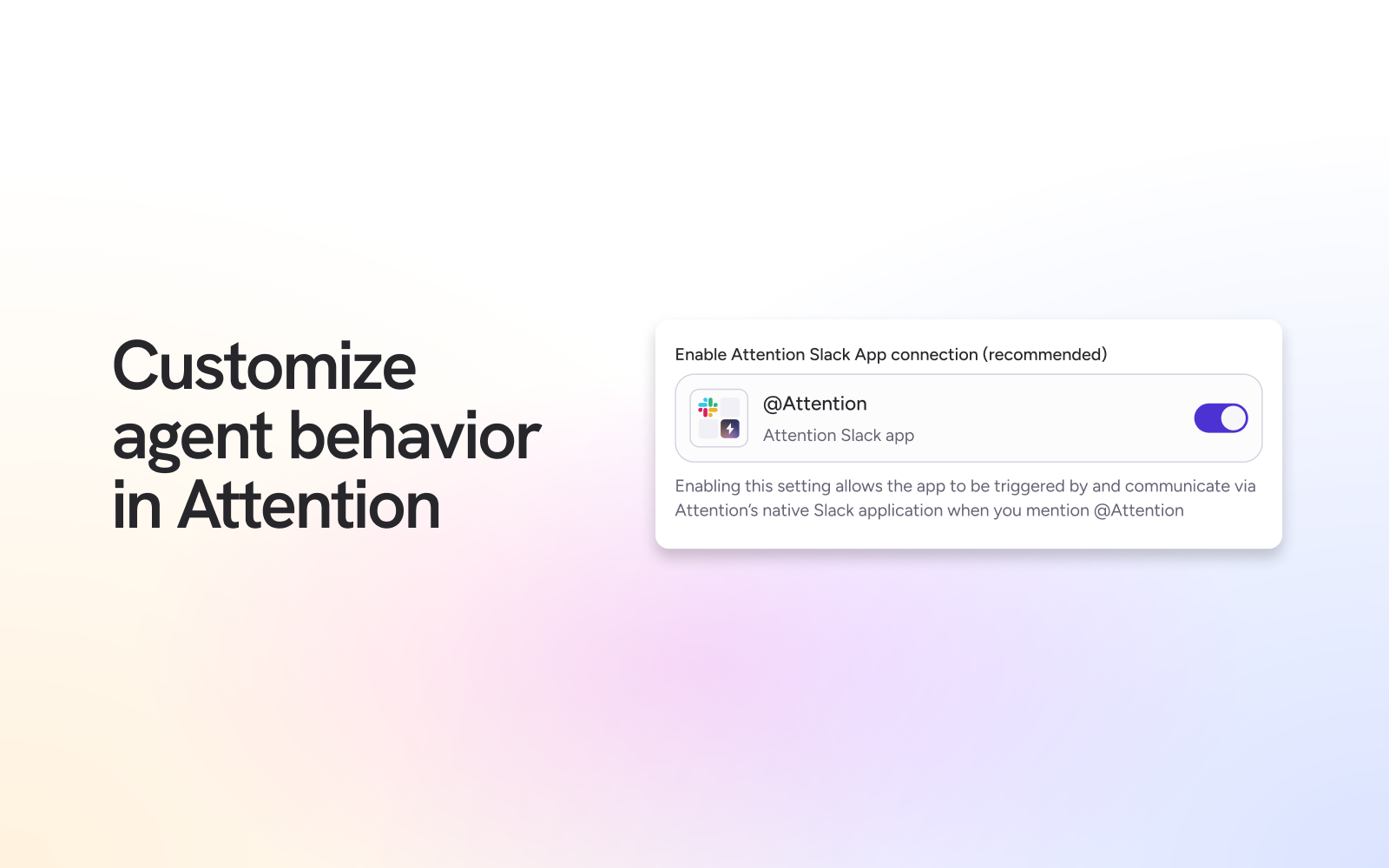
Install Attention's Slack App to get all of your conversational insights and interact with Attention agents within your Slack worskpace.
Note: You must be a Slack Admin or have the proper permission in Slack to add new apps to your workspace.
# Configuration
The first step is to allow Attention to access your Slack workspace. You can do this in two ways — choose the option that matches your workflow:
## Option 1: Create a Slack connection for the Attention Builder
1. Click on your name on the top left corner.
2. Select **⚙️ Settings** from the dropdown.
3. In the **Settings** page, select **Builder** on the left sidebar.
4. Select a workflow.
* Alternatively, create a new workflow by selecting **➕ Create workflow** on the top right corner.
5. In the workflow builder, select the ➕ icon to add a new node. Search for Slack.
6. In the node configuration window on the right, click **Create Connection**.
7. Name your connection and select **Connect**.
8. Follow the Slack authorization flow and click **Allow** when prompted.
## Option 2: Connect the Slack Attention Super Agent via the Integrations Settings Page
1. Click on your name on the top left corner.
2. Select **⚙️ Settings** from the dropdown.
3. In the **Settings** page, select **Integrations** on the left sidebar.
4. Select **➕ Add integration** on the top right corner.
5. Select the Slack integration option.
6. Follow the OAuth flow to grant Attention access to your Slack workspace and click **Allow** when prompted.
**Once a connection has been created, add the Attention app to Slack channels:**
In order for the Attention app to post messages in specific channels, it needs to be added to the channel by doing the following:
1. Type /invite in the channel's chat.
2. Click "Add apps to this channel".
3. Search for Attention and add the app.
The Attention app will also be able to send Builder outputs via Direct Messages to your teammates in Slack. No additional configuration is needed.
 ## Use Cases
Once configured, partner with your Attention account manager to build out agents and workflows to fit your team's unique needs. Examples include:
* **Sales Team Sync:** Export sales call transcripts or summaries from Attention directly into a dedicated Slack channel for real-time collaboration and feedback within the sales team.
* **Coaching & Feedback Loop:** Surface high-scoring and low-scoring calls with real-time alerts.
* **Highlight Wins:** Notify your team anytime a deal closes and include insights from sales conversation to uncover what helped move the needle.
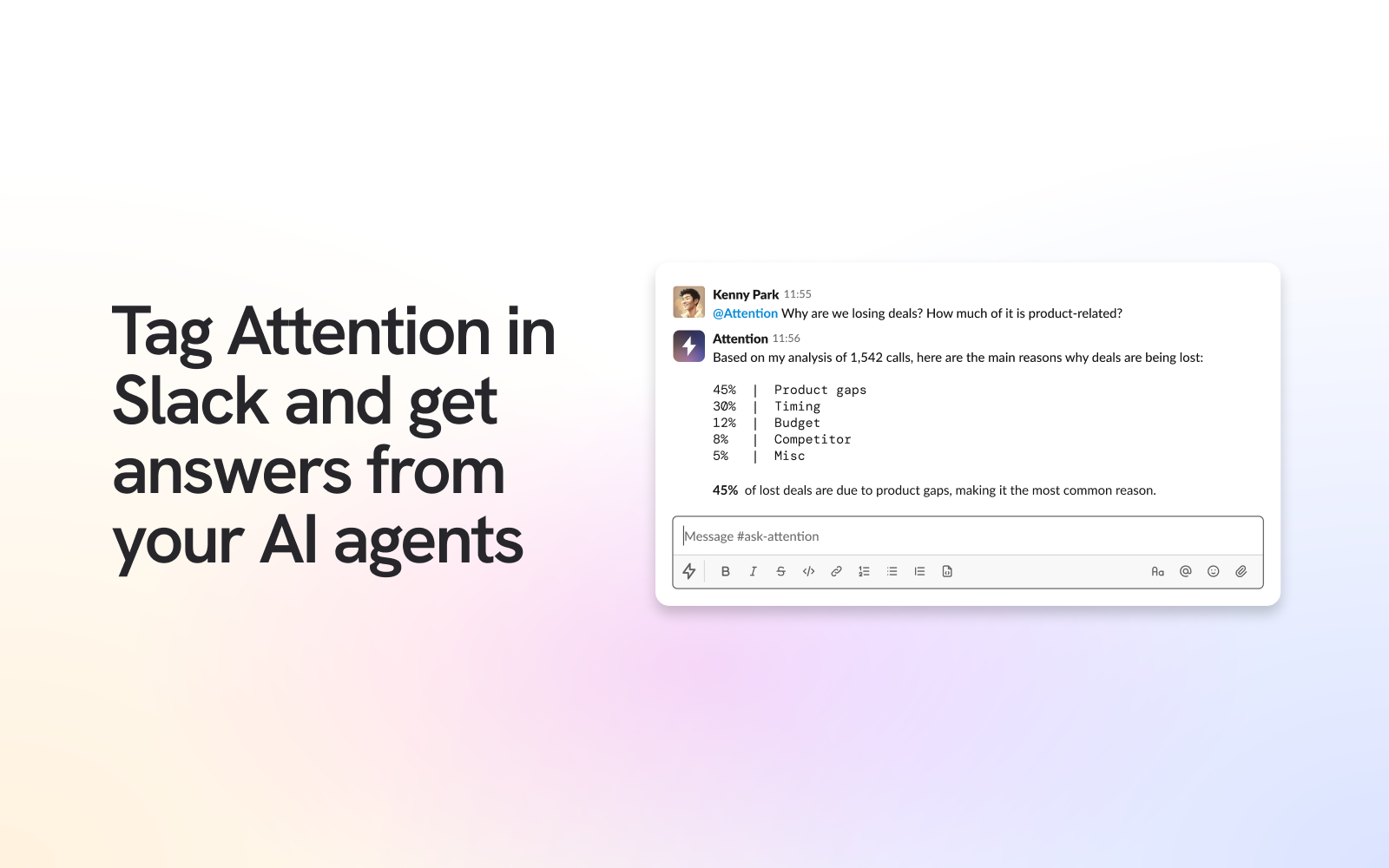
* \*\*Attention Agent: \*\*Tag @Attention in Slack and get answers from your AI agents.
## Use Cases
Once configured, partner with your Attention account manager to build out agents and workflows to fit your team's unique needs. Examples include:
* **Sales Team Sync:** Export sales call transcripts or summaries from Attention directly into a dedicated Slack channel for real-time collaboration and feedback within the sales team.
* **Coaching & Feedback Loop:** Surface high-scoring and low-scoring calls with real-time alerts.
* **Highlight Wins:** Notify your team anytime a deal closes and include insights from sales conversation to uncover what helped move the needle.
* \*\*Attention Agent: \*\*Tag @Attention in Slack and get answers from your AI agents.
 ## Attention Slack Integrations Permissions
### Attention Builder Slack Integration Permissions
| Category | Permissions |
| --------------------------------------------------- | ------------------------------------------------------------------------------------------------------------------------------------------------------------------------------------------------------------------------------------------------------------------------------------------------------------------------------------------------------------------------------------------------------------------------------------------------------------------------------------------------------------------------------------------------------------------------------------------------------------------------ |
| **Content and info about you** | • View information about your identity |
| **Content and info about channels & conversations** | • View emoji reactions in your channels and conversations and their associated content • View messages and other content in public channels, private channels, direct messages, and group direct messages that "Attention" has been added to • View basic information about direct and group direct messages that "Attention" has been added to • View basic information about public channels in your workspace • View emoji reactions and their associated content in channels and conversations that "Attention" has been added to • View basic information about private channels that "Attention" has been added to |
| **Content and info about your workspace** | • View people in your workspace • View email addresses of people in your workspace |
#### Actions the Attention can take
| Category | Actions |
| ----------------------------------------------- | ------------------------------------------------------------------------------------------------------------------------------------------------------------------------------------------------------------------------------------------------------------------------------------------------------------------------------------------------------------------------------------------------------------------------- |
| **Perform actions as you** | • Edit your profile information and status |
| **Perform actions in channels & conversations** | • Start direct and group direct messages with people • View messages that directly mention @attention2 in conversations that the app is in • Send messages as @attention2 • Manage public channels that "Attention" has been added to and create new ones • Manage private channels that "Attention" has been added to and create new ones • Add and edit emoji reactions • Upload, edit, and delete files as "Attention" |
### Attention Super Agent Integration Permissions
| Category | Permissions |
| --------------------------------------------------- | ------------------------------------------------------------------------------------------------------------------------------------------------------------------------------------------------------------------------------------------------------------------------------------------------------------------------------------------------------------------------------------------------------------------------------------------------------------------------------------------------------------------------------------------------------------------------------------------------------------------------ |
| **Content and info about you** | • View information about your identity |
| **Content and info about channels & conversations** | • View emoji reactions in your channels and conversations and their associated content • View messages and other content in public channels, private channels, direct messages, and group direct messages that "Attention" has been added to • View basic information about direct and group direct messages that "Attention" has been added to • View basic information about public channels in your workspace • View emoji reactions and their associated content in channels and conversations that "Attention" has been added to • View basic information about private channels that "Attention" has been added to |
| **Content and info about your workspace** | • View people in your workspace • View email addresses of people in your workspace |
#### Actions the Attention Super Agent can take
| Category | Actions |
| ----------------------------------------------- | ------------------------------------------------------------------------------------------------------------------------------------------------------------------------------------------------------------------------------------------------------------------------------------------------------------------------------------------------------------------------------------------------------------------------- |
| **Perform actions as you** | • Edit your profile information and status |
| **Perform actions in channels & conversations** | • Start direct and group direct messages with people • View messages that directly mention @attention2 in conversations that the app is in • Send messages as @attention2 • Manage public channels that "Attention" has been added to and create new ones • Manage private channels that "Attention" has been added to and create new ones • Add and edit emoji reactions • Upload, edit, and delete files as "Attention" |
Attention agents use LLMs and have the potential to generate inaccurate responses, summaries or other outputs.
## Need Additional Support?
If you need further assistance or have inquiries, please contact our team at [support@attention.com](mailto:support@attention.com) or reach out directly to your Attention account manager.
[Attention Privacy Policy](https://www.attention.com/privacy-policy)
## Attention Slack Integrations Permissions
### Attention Builder Slack Integration Permissions
| Category | Permissions |
| --------------------------------------------------- | ------------------------------------------------------------------------------------------------------------------------------------------------------------------------------------------------------------------------------------------------------------------------------------------------------------------------------------------------------------------------------------------------------------------------------------------------------------------------------------------------------------------------------------------------------------------------------------------------------------------------ |
| **Content and info about you** | • View information about your identity |
| **Content and info about channels & conversations** | • View emoji reactions in your channels and conversations and their associated content • View messages and other content in public channels, private channels, direct messages, and group direct messages that "Attention" has been added to • View basic information about direct and group direct messages that "Attention" has been added to • View basic information about public channels in your workspace • View emoji reactions and their associated content in channels and conversations that "Attention" has been added to • View basic information about private channels that "Attention" has been added to |
| **Content and info about your workspace** | • View people in your workspace • View email addresses of people in your workspace |
#### Actions the Attention can take
| Category | Actions |
| ----------------------------------------------- | ------------------------------------------------------------------------------------------------------------------------------------------------------------------------------------------------------------------------------------------------------------------------------------------------------------------------------------------------------------------------------------------------------------------------- |
| **Perform actions as you** | • Edit your profile information and status |
| **Perform actions in channels & conversations** | • Start direct and group direct messages with people • View messages that directly mention @attention2 in conversations that the app is in • Send messages as @attention2 • Manage public channels that "Attention" has been added to and create new ones • Manage private channels that "Attention" has been added to and create new ones • Add and edit emoji reactions • Upload, edit, and delete files as "Attention" |
### Attention Super Agent Integration Permissions
| Category | Permissions |
| --------------------------------------------------- | ------------------------------------------------------------------------------------------------------------------------------------------------------------------------------------------------------------------------------------------------------------------------------------------------------------------------------------------------------------------------------------------------------------------------------------------------------------------------------------------------------------------------------------------------------------------------------------------------------------------------ |
| **Content and info about you** | • View information about your identity |
| **Content and info about channels & conversations** | • View emoji reactions in your channels and conversations and their associated content • View messages and other content in public channels, private channels, direct messages, and group direct messages that "Attention" has been added to • View basic information about direct and group direct messages that "Attention" has been added to • View basic information about public channels in your workspace • View emoji reactions and their associated content in channels and conversations that "Attention" has been added to • View basic information about private channels that "Attention" has been added to |
| **Content and info about your workspace** | • View people in your workspace • View email addresses of people in your workspace |
#### Actions the Attention Super Agent can take
| Category | Actions |
| ----------------------------------------------- | ------------------------------------------------------------------------------------------------------------------------------------------------------------------------------------------------------------------------------------------------------------------------------------------------------------------------------------------------------------------------------------------------------------------------- |
| **Perform actions as you** | • Edit your profile information and status |
| **Perform actions in channels & conversations** | • Start direct and group direct messages with people • View messages that directly mention @attention2 in conversations that the app is in • Send messages as @attention2 • Manage public channels that "Attention" has been added to and create new ones • Manage private channels that "Attention" has been added to and create new ones • Add and edit emoji reactions • Upload, edit, and delete files as "Attention" |
Attention agents use LLMs and have the potential to generate inaccurate responses, summaries or other outputs.
## Need Additional Support?
If you need further assistance or have inquiries, please contact our team at [support@attention.com](mailto:support@attention.com) or reach out directly to your Attention account manager.
[Attention Privacy Policy](https://www.attention.com/privacy-policy)