

Simplified, faster Salesforce connection:
- Admins can now link Salesforce with one click, without needing to enter a My Domain value, and sandbox vs. production routing is handled automatically
- Salesforce OAuth linking and reconnecting now supports PKCE, so it works with customer apps and org security policies that require it
- CRM-specific field errors now surface immediately when saving integration configuration, and connection checks complete quickly even for large organizations
Smoother call playback:
- Calls now recover automatically from playback stalls instead of buffering indefinitely
- Users can preview video content by scrubbing the seek bar with thumbnail previews
- Users can keep listening through screen lock, with lock-screen controls and auto-resume on unlock
Recording consent for external participants:
- External participants can now review and consent to meeting recording before joining a call, via a dedicated consent page available in five languages
- Org admins can enable a master consent-mode switch and turn on chat compliance messages for desktop recordings
Smart action suggestions:
- Reps can review AI-suggested actions in a redesigned inbox with My/Team tabs, a detail panel, and inline AI editing—even for document drafts
- Reps can see suggested actions directly within a conversation’s Actions tab, with unread indicators and “expiring soon” reminders on each card
- Reps can rate suggestions with optional comments, restore dismissed ones, and download the created document, deck, or email in its native format
Multi-select call labels:
- Call labels now support assigning multiple values instead of just one, in both editing and display
Sales rep scorecard editing:
- Sales reps can now edit manual scorecards when their organization turns on this option
Home page calls and meetings feed:
- Users can see a redesigned homepage feed showing recent calls, upcoming meetings, and live calls in one view
- Users can join scheduled meetings directly from the desktop app, and add or remove the notetaking bot for live calls right from the homepage
- Upcoming meetings now show participants and bot-join controls with a “view all” link, and are combined with the Calls & Meetings section
Desktop app recording enhancements:
- Desktop app now shows live recording status from start through finished transcript, with real-time transcription and live talktrack and battlecard prompts during the call
- Desktop recordings now capture calendar event details and apply your team’s custom vocabulary for transcription, matching bot recordings
Expanded manager & rep analytics exports:
- Managers and reps can now export their analytics data to CSV, including a rep Email column
- Analytics tables, drilldowns, and CSV exports now include Minutes Listened and Active Listener metrics
Deal View customization:
- Users can now create custom boards with configurable columns and tabs in Deal View, automatically returning to their preferred board and tab
- Users can see a Last Attention Activity Date column showing the most recent call or email
- Users can resize deal-view columns with widths persisting across devices; new organizations start with the enhanced deal view and persistent filters on by default
App now runs in the background:
- The app can now open automatically when you start your computer
- Users can start recording a call without opening the app first
Promote email templates to team or org scope:
- Managers and admins can now change a personal email template’s scope to Team or Org level
- A hierarchical team picker lets admins choose exactly which teams gain access
Scorecard administration:
- Admins can now list, create, and update scorecards across all teams, and create, update, and delete scorecard items
- Admins can now duplicate an existing scorecard, keeping all its columns, team links, and items
- Admins can now soft-delete scorecard templates, removing them from new conversations while keeping historical results available
AI-generated setup suggestions when connecting a CRM:
- When admins connect a new CRM, they now automatically get AI-generated suggestions for scorecards, field configs, call tags, and email templates — no manual trigger needed
- A live progress card shows the status of these AI-generated setup suggestions and prompts users to review and act on them once ready
File attachments and model choice in Super Agent chat:
- Users can now attach files, including images, directly in Super Agent chat, with folder drop supporting up to 30 concurrent files and 250MB each
- Users can now override the default LLM model for their own Super Agent and Build Chat conversations
Conversation retention policies:
- Admins can now set media retention policies for conversations, with configurable hold periods and per-team settings
- Content-generation features like CRM analysis, insights, snippets, and email templates are now disabled for conversations whose retention status has been removed
New Super Agent tools and integrations:
- Super Agent can now search the web, query Snowflake data, and generate images delivered right in Slack
- Super Agent can now read and analyze imported chat and email threads, not just calls,
- Super Agent now supports HubSpot company search and enrichment alongside Salesforce, discovers related child accounts under Salesforce parents, links conversations to CRM records, shows real deal-stage names, and can filter pipeline queries to closed deals
Duplicate and auto-assign intelligence item collections:
- Users can now duplicate an intelligence item collection, cloning all its items and assignments into a new copy
- Admins can now set a collection to auto-assign itself to any new teams created after the collection is set up
Trigger native integrations via the public API:
- Developers can now list and trigger native integration workflows directly through the public API
- Repeated triggers are safely deduplicated, and workflows stay isolated between organizations
CRM validation error notifications:
- Admins now get notified when CRM field validation errors occur, with an option to reconnect their CRM account
- Salesforce validation errors now include the specific rule name, description, and a direct link to fix the issue in Salesforce
More flexible bot joining and calendar connection controls:
- Users can connect Google or Microsoft calendars even when their organization has turned off automatic bot joining
- Users can opt into consent-required bot joining without needing an organization-wide setting
- Admins can let the bot join meetings without requiring the organizer to accept the calendar invite
Connect AI assistants to your call data:
- Admins can now connect AI assistants like Claude, Cursor, and ChatGPT to their account through a secure MCP integration
- Users can ask connected assistants to search calls and transcripts, pull usage reports, and review scorecards, teams, and reps
- Managers and admins can create and update labels, scorecards, forecast categories, and invitations directly through connected AI assistants
More accurate, live CRM data in deal views:
- Deal view filters now show current picklist values pulled directly from CRM records instead of stale data
- Opportunity scores now update dynamically and reflect accurate values
Timestamped scorecard feedback:
- Scorecard feedback now includes timestamped evidence, showing the exact quote and time range that supports each grade
Unified search:
- Users can now press Cmd+K to search People, Accounts, Opportunities, and Calls from one dialog, accessible via a new search bar in the page header
- Results rank by relevance, boost related conversations, and group into Calls and Transcripts sections with title matches first
- Users can now search for exact phrases in call titles and transcripts by wrapping them in quotes, and filter results by title or transcript independently
Chat sharing and collaboration for Super Agent:
- Users can now share Super Agent chats via public or private links, with raw tool-execution details hidden for a cleaner read
- Multiple people can now take part in the same shared Slack thread conversation with Super Agent
Release of Agent Builder v2:
- For organization with Agent Builder enabled, it is now accessible via the “Agents” tab on the Attention homepage
- v1 of the Agent Builder, now called “Builder”, can still be accessed via the settings menu for enabled users
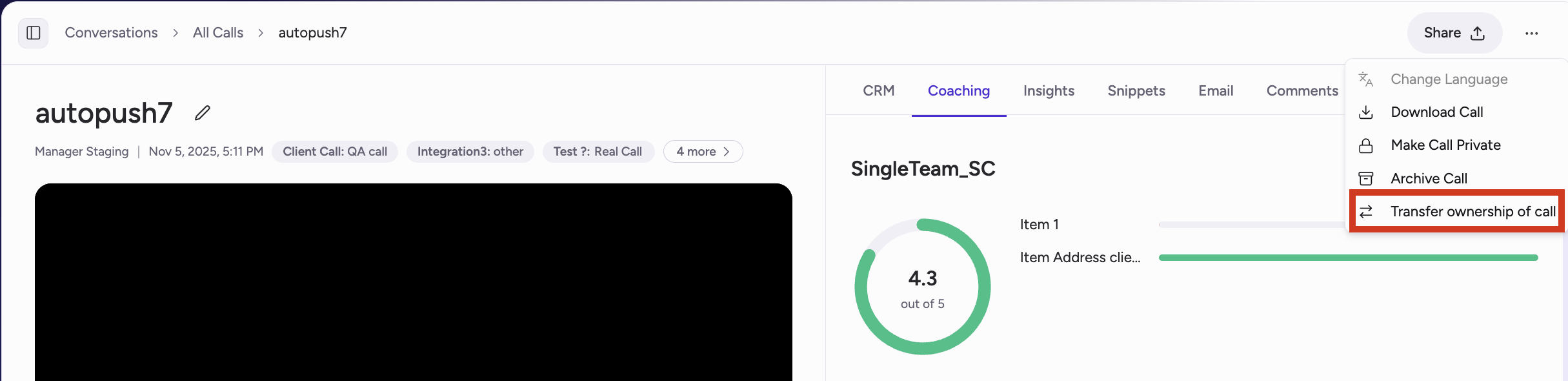
New permissions for transferring call ownership:
- Admins can now transfer ownership of their organization’s calls across all team members in the org
- Managers can now transfer ownership of thier team’s calls aross all members of their teams
-
Sales reps can now transfer their own calls to other team members
Multi-team email templates: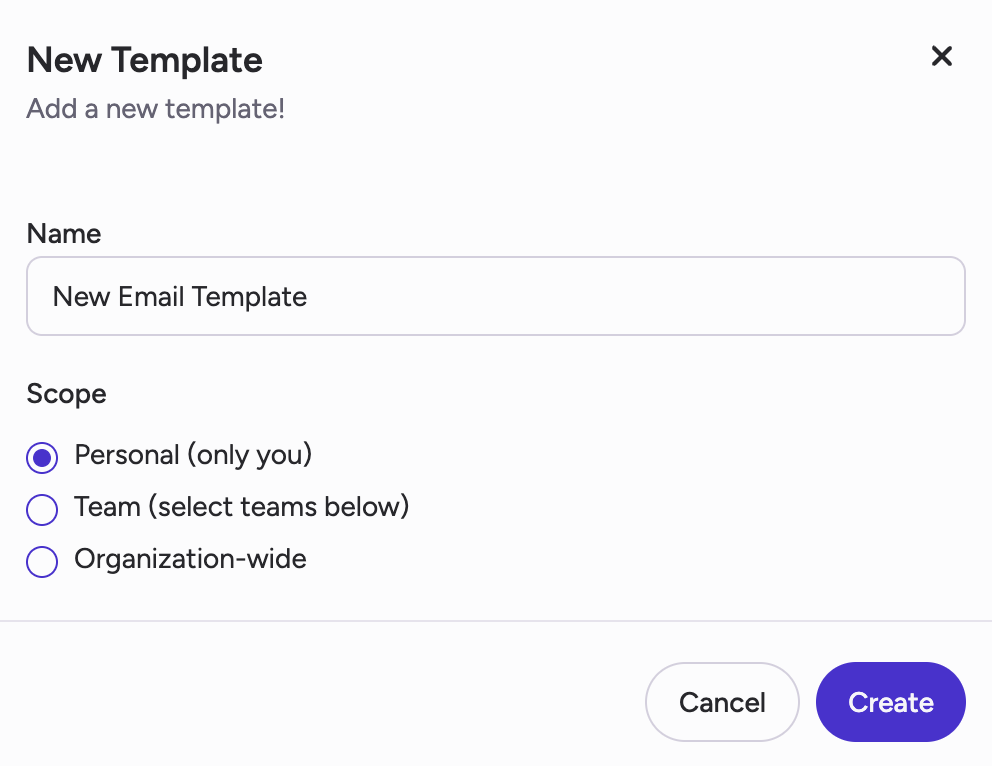
- Admins can now create email templates for sharing across the entire organization or across multiple teams
- Note: Team-level email templates created before this update are still available for the teams they were initialled created for and cannot be changed
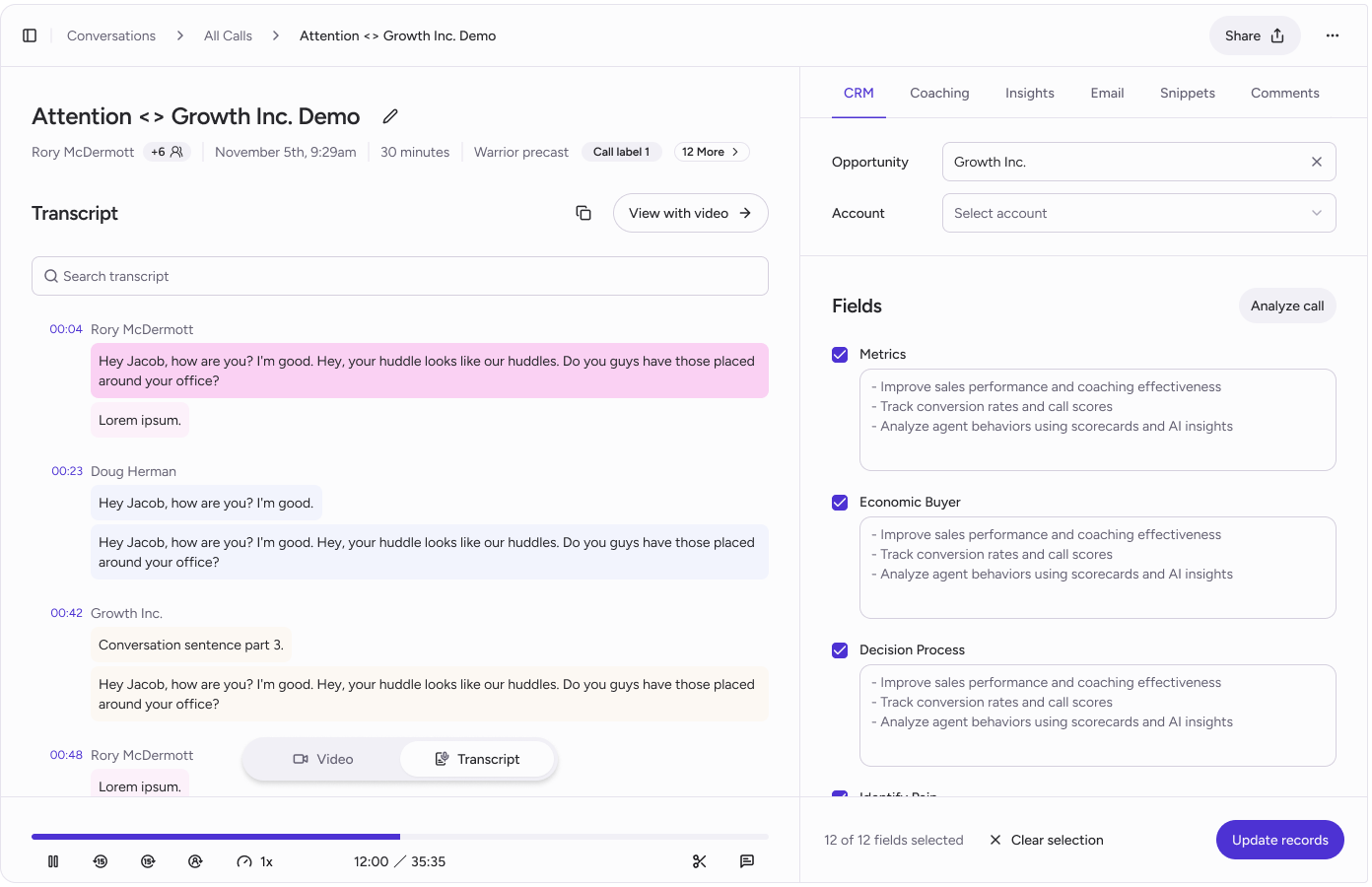
Updates to UI/UX in Conversations view including:
- Transcripts broken out by sentence for improved readability and navigation
- Streamlined snippet creation by clicking next to sentence or highlighting over transcript text
-
See number of matches in transcript search and navigate through previous/next match
Customizable Deal Indicators for Deal View:
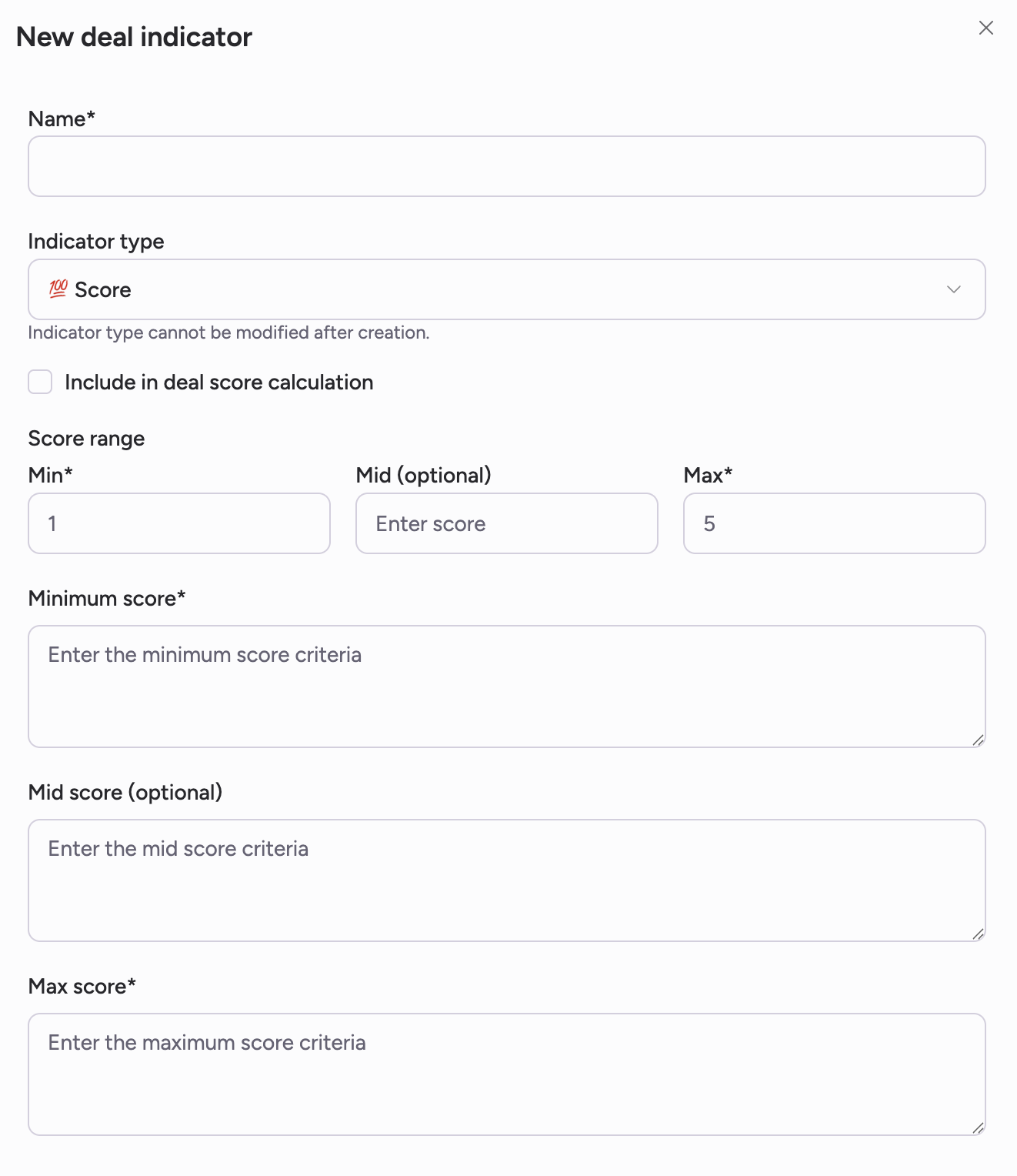
- For organizations wtih Deal View enabled, deal indicators can be edited and customized via the “Deal Indicators” tab in Settings
- Two Indicator Types: Score and List indicators. Score indicators can be applied to overall deal score
-
Indicators are configured and applied at the organization level
Manager Analytics v2:
- Views for manager activity and rep activity. Filter by date ranges
- Insights at the manager and rep level for: # of calls listened to, # of comments left, # of sessions, and more