

Open Integrations
- In Attention, click your name at the bottom of the sidebar, then Settings.
- In the settings menu, click Integrations.
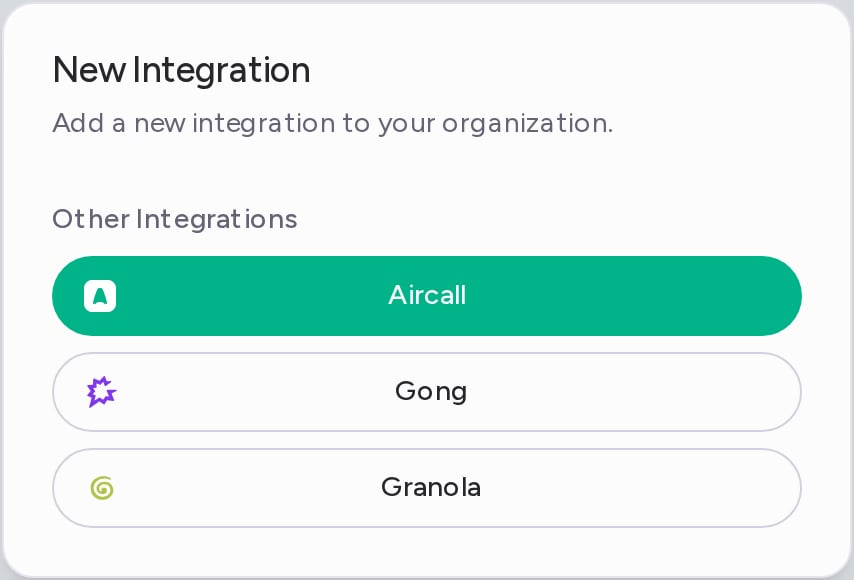
- Click Add integration.
Connect Gong
You need a Gong access key and its secret. A Gong admin creates them in Gong’s API settings.- In the New Integration dialog, click Gong.
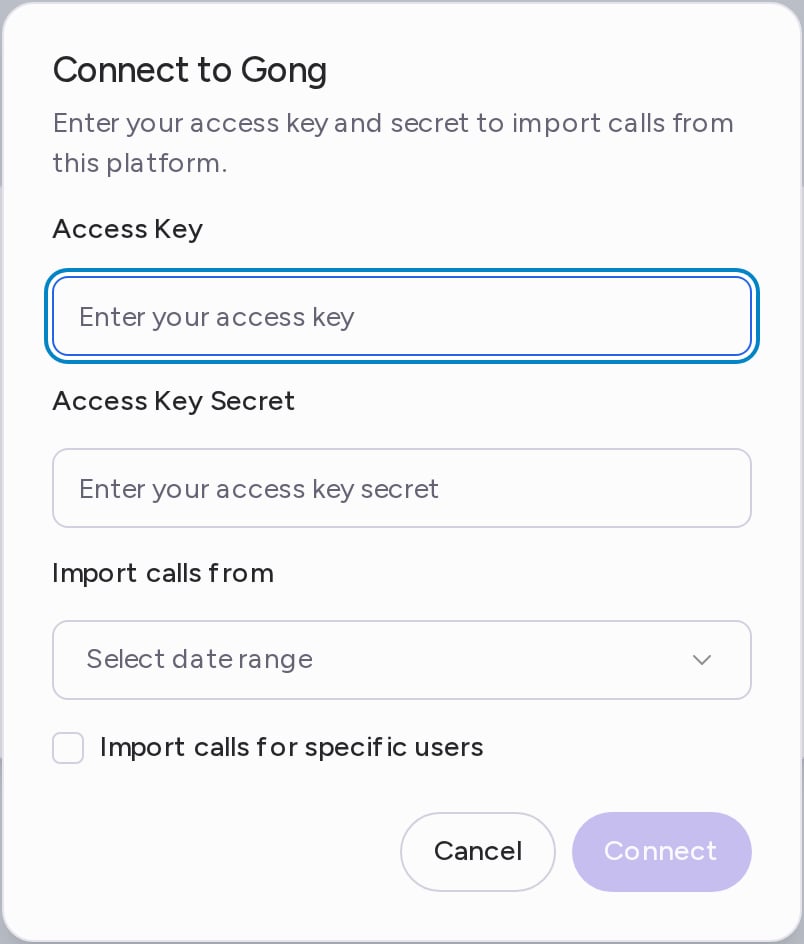
- In Connect to Gong, enter the Access Key and the Access Key Secret.
- Under Import calls from, choose Past Week, Past Month, Past Year or Custom Date Range.
- To import only some people’s calls, select Import calls for specific users and add their email addresses. Press Enter after each one.
- Click Connect.
What gets imported
- Every Gong call in the date range you chose, with its video (or its audio when there is no video) and Gong’s transcript.
- Each call goes to the Attention user whose email matches the call’s owner in Gong.
- After the first import, Attention keeps importing new Gong calls, with the same email filter.
- New calls get scorecards, labels and CRM field updates like any other call. Past calls from your date range come in without them.
Calls shorter than the Minimum imported call duration are skipped. It is 120 seconds by default. You can change it in Settings → Organization Settings, under Call settings.
Disconnect Gong
- On the Integrations page, open the ⋯ menu on the Gong row and click Delete.
- In the Gong Account Removal dialog, click Remove.
Need help? Contact support@attention.com or your Attention point of contact.